|
Call History (incoming calls) |

|

|

|

|
|
Call History (incoming calls) |
|
|
|
|
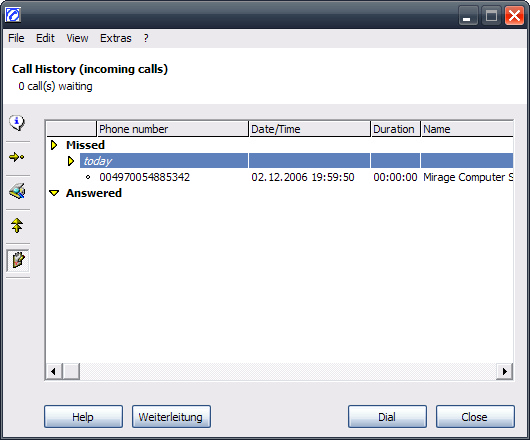
All incoming calls - firstly grouped by Missed /Answered calls, then sorted by date - are displayed here.
A selected entry in the list is picked for dialing by a double click or by clicking on the button Dial. Press the key Delete to delete an entry. Use the Edit Menu -> Transfer entry to Quick dialing list (or use right mouse click transfer entry to Quick dialing list) to copy the entry to your personal Quick dialing list.
The number of entries can be set in the configuration. Once the configured number is reached, the oldest entry will be deleted.
Page url: http://www.helpserver.biz/onlinehelp/cdc/ep/2.4/help2000/index.html?phone___calllist.htm

