Browser Configuration

Contents
Depending on the Browser you use, settings have to be changed. From our experience the SoftPhone works best in Internet Explorer and Chrome, then Safari and then Firefox.
Internet Explorer
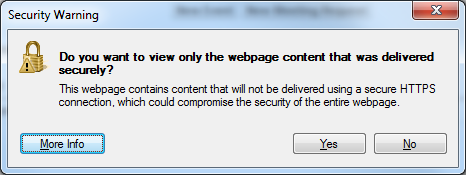
If you are running Internet Explorer you probably receive one of the following warning s

or
The warning can be disabled using the following steps:
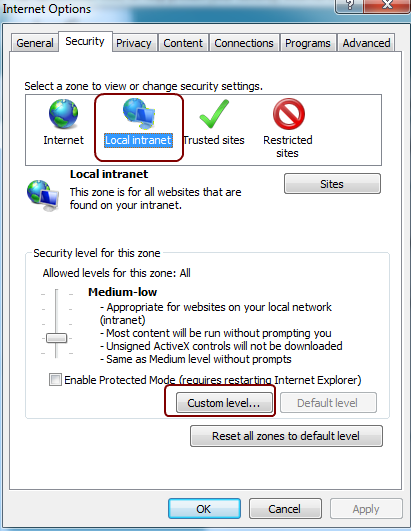
•Go to Tools -> Internet Options -> Security -> Local Intranet
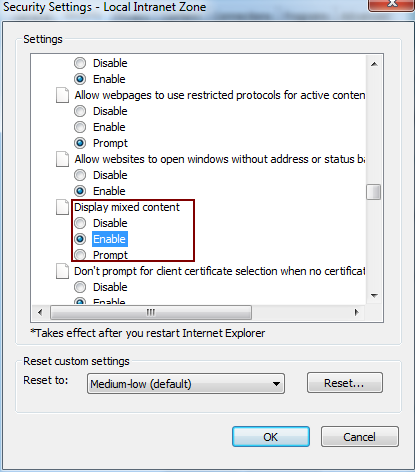
•Click "Custom Level" •Select "Enable" for "Display mixed content"
•Click "OK" •Click "OK"
You have to close the Browser including all open Browser windows
In case you get the error below after click on Turn on Intranet settings and check if you enabled the mixed content setting for Local Intranet (see above)
|



Firefox 23 and newer
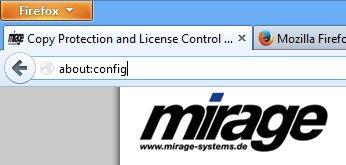
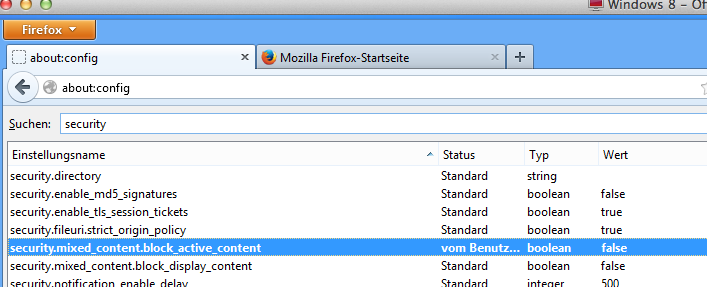
As a URL type in: about:config
Scroll down to security.mixed_content.block_active_content and click on the text. the value changes to false.
|
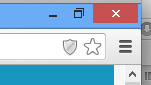
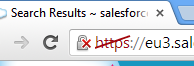
If you see a shield in the top right corner of the Browser , the security settings have to be changed.
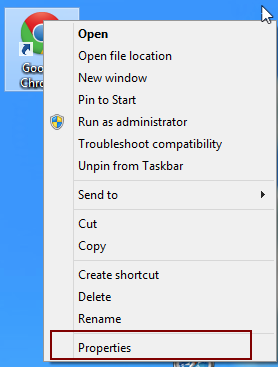
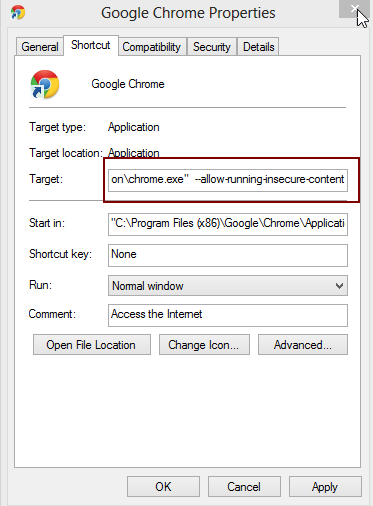
Unfortunately, Chrome does not provide a convenient way to change the settings.
What you have to do is:
Restart Chrome. You see then in the top left corner of the Browser a new icon |
Enable Pop-Ups for all Browsers
Ensure that you don't have a Pop-Up Blocker turned on. Disable it for salesforce.com. To do this -
•Login into salesforce.com
•You will see the following warning

The following steps can be different depending on the Browser
•Select "Options"
•Select "Allow pop-ups for..."
•Shut down your browser and restart
The next time you log into salesforce.com, you will see the pop-up.
Note: Safari is not officially supported