Change Logo

Contents
You can change the logo, which appears on the SoftPhone
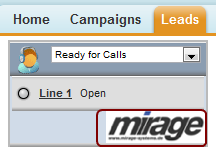
The logo is defined in the file menu.xml, which is located in the folder ...\call center adapter.
Change the link in the line
<LOGO IMAGE_URL="http://www.mirage-systems.info/download/CDC/pictures/sfadapter/4.0/cdclogo.jpg"/>
 It must be a .JPF file. The height of the image should not be more than 30 pixel