Change Port

Contents
The SoftPhone uses port 11000 to communicate with CTI Data Connector Enterprise Edition. In case this port is used by another application you have to change the port.
How can I find out if this port is in use?
•Search in the log file Browser_connector.log for the following error
BrowserHttpListener.Start: Cannot start due to error 32
Error message: The process cannot access the file because it is being used by another process
In order to find out what is using port 11000 - you can use the following in a command prompt window: netstat -aon and look for a line like this example:
UDP 127.0.0.1:11000 0.0.0.0:0 LISTENING 4234
You can then use the Services tab of Windows Task Manager to find what process has PID 4234
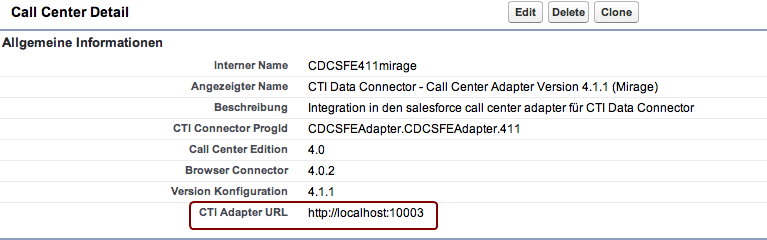
Change the port in the call center adapter
Select: Setup > AppSetup > Customize > Call Center > Call Centers
Change the port to a new value, e.g. 10003.
Local configuration file
You have to copy the file SalesforceCTI.exe.config to the folder call center adapter. The simplest way to do this is to place the file into the folder of the installer package - See Automated Software Distribution.
The file needs the following configuration setting
<setting name="AdapterUrl" serializeAs="String">
<value>http://localhost:10003</value>
</setting>