Navigation: Web Activation Server > Tutorial Web Activation Server > Part II - Installation and Configuration > Mirage Hosting Service > Licence Protector (Starter, Basic, Professional Edition) > Hosting Link Parameter >
Modify licence template


|
Navigation: Web Activation Server > Tutorial Web Activation Server > Part II - Installation and Configuration > Mirage Hosting Service > Licence Protector (Starter, Basic, Professional Edition) > Hosting Link Parameter > Modify licence template |
|
First insert the link to the Web Server in your licence template in the TAG WebServiceURL with the string /lpws.asmx added.
<WebServiceURL>htttp://www.registerserver.net/hostingID/lpweb/lpws.asmx</WebServiceURL>
Example
<WebServiceURL>htttp://www.registerserver.net/7843289/lpweb/lpws.asmx</WebServiceURL>
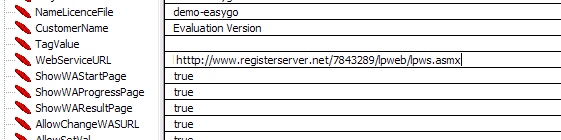
Load the template in the Licence Generator and create a new licence file. The link is stored in the licence file.