Navigation: »No topics above this level«
Show License Information


|
Navigation: »No topics above this level« Show License Information |
|
To display the license information, either
| • | right click on the icon in the system tray - select Show License Information |
or
| • | select within the Control Centre, Menu Extras, Show License Information |
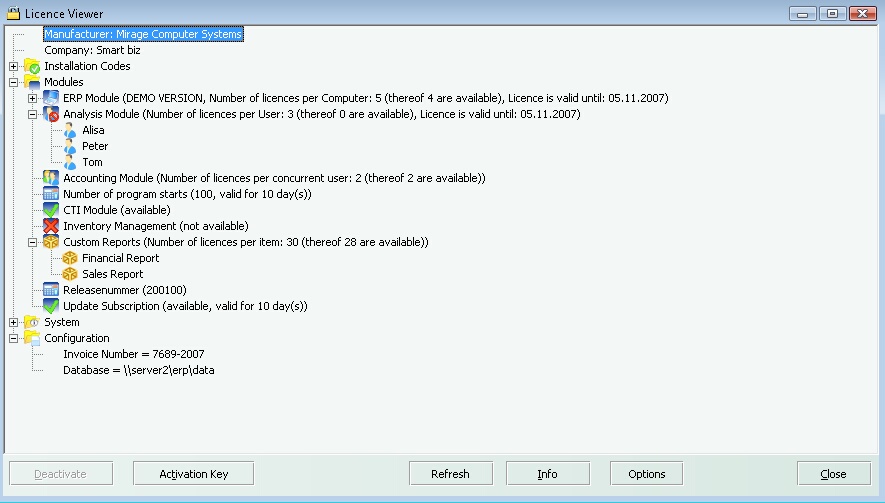
This opens the License Viewer where you can view the licenses you have acquired, the number of users /computers who can use the license and whether a license has a time limitation or not.
Number of licenses
The folder CTI License displays the maximum number of licenses and the number of licenses which are available. If you click on the + sign, all computers, using a license, are displayed. See Deactivate a License how to deactivate one single computer.
| • | Number of Computers which have a license |
| • | Demoversion - if omitted then it is a full version or time limited full version |
| • | Valid until (time limitation) - if omitted then it is a non time limited version |
| • | Web Activation - either done or required |
Update Subscription
The update subscription entitles to install the latest updates as long as it has not expired. See chapter software update how to download updates.
| • | Available / Not available |
| • | Time limitation - the date when the update subscription expires |
Release Number
| • | Internal release information |