Navigation: Part II - Enhanced Features > Distribute the Project >
The Basics about Distributing a Project


|
Navigation: Part II - Enhanced Features > Distribute the Project > The Basics about Distributing a Project |
|
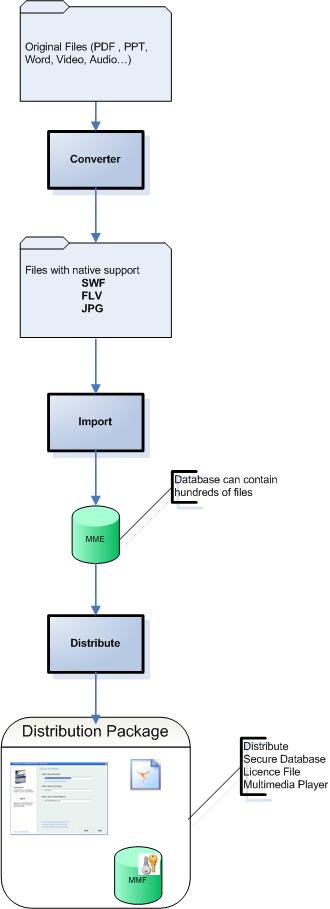
After successfully creating a project and selecting Distribute / Save, a folder with all necessary files for distribution is generated.
The folder name is ..\Deploy and is a subfolder of the project folder.
Example: ..\Flash-Demo \Deploy
The folder contains 4 files. All files are named according the settings: Name Of Player in the Settings screen.
The Multimedia Player
The Multimedia Player has the extension .EXE and is the main application, which includes all the necessary functionality to display the file and monitor copy protection and licencing.
Example: flash-demo.exe
The Data File
The data file contains all the files, which are selected in the Data Import section, in an encrypted format. It has the extension .MMF.
Example: flash-demo.mmf
 Never deploy the project file with the extension .mme
The license file contains all licencing and copy protection information. It has the extension .LIC
Example: flash-demo.lic
Always make a backup of the license file if you start the Multimedia Player directly. The license file is modified with each start and can not be used any longer for distribution. To be 100% sure, just create the deploy folder again before you distribute the project.
To test a project use the Testdrive option.
Autorun File
When distributing the files on a CD, the autorun.inf file would start the Multimedia Player after the CD is inserted in the drive.