Navigation: Part II - Enhanced Features > File Conversion / Supported File Types > Files needed Conversion > PowerPoint (PPT) >
PPTConversion to Flash


|
Navigation: Part II - Enhanced Features > File Conversion / Supported File Types > Files needed Conversion > PowerPoint (PPT) > PPTConversion to Flash |
|
There are a lot of PPT conversion tools available with different pricing and different conversion options. Find your favorite tool at http://www.masternewmedia.org/2004/04/14/powerpoint_to_flash_conversion_tools.htm .
We recommend using a tool which generates one singe SWF file and not a file per PPT slide like http://www.wondershare.com or http://www.presentationpro.com/ .
If you have PPT documents, perform the following steps:
| 1. | Convert PPT to flash using a PPT converter that supports hyperlinks |
| 2. | After converting all files to flash, copy only the flash files to a new directory which you would import |
| 3. | Use the Advanced Menu as described below |
Adding a toolbar (browse, zoom, print)
The toolbar for the converted PPT file is provided by the Advanced Menu.
If you have just one PPT file then use the files provided in the folder ..\converter\swftools. You need 3 files for your project:
| • | Advanced-menu.swf |
| • | config.xml |
| • | doc.swf |
Rename your converted PPT file to docu.swf and import all files. Select the file advanced-menu.swf as start file and check the option: Use advanced menu. It will add browse buttons to navigate to the next page and a scroll bar to scroll through the page.
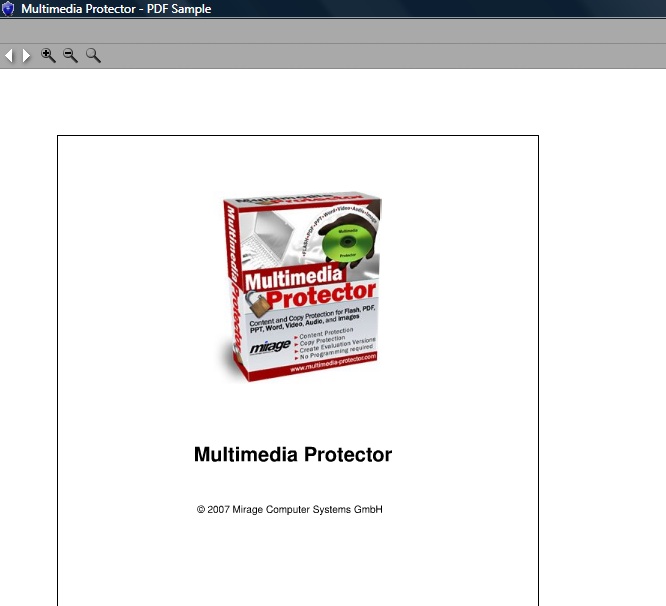 |
| View PPT file with toolbar |
It is possible to change different settings.
To add a print button edit the config.xml file (with any editor or use free XML Editor) and change the entry <print> to True.
|
To disable the zoom option, edit the config.xml file (with any editor or use free XML Editor) and change the entry <zoom> to false.
|
By default, the converted PPT is loaded with 100%. It is possible to start the document with another size like 150% or 75%. Edit the config.xml file (with any editor or use free XML Editor) and change the entry <zoomin> to eg. 150 (without % sign). |
Page url: http://www.helpserver.biz/onlinehelp/lpmme/1.3/generator/help2000/index.html?ppt_converttoflash.htm