|
Online Activation |


|

|

|

|
|
Online Activation |
|
|
|
|
Enables Online Activation. For Activation details see About Activation.
Select the checkbox: Use Online Activation for Registration.
If this is to be the default activation method, select: Use as default option
The http: address of the Web Activation Server. Mirage offers a hosting of the Web Activation Server - see details.
Example: http://registerserver.net/hostingnumber/lpweb/lpws.asmx
The address is automatically assigned if you have configured the link to the Web Administration Interface in the administration screen.
 The URL has to end with lpws.asm
We provide an Activation Server for testing. Just add this link to test an online activation with your product.
http://registerserver.net/9999999/lpweb/lpws.asmx
See chapter: Activation Server for Testing for all necessary configuration options.
 For Hosting customers the URL is: http://www.registerserver.net/hostingnumber/lpweb/lpws.asmx
Allow changing of URL
Allows changing the URL during the Web Activation process. This makes sense if you have a backup server running.
 This feature is available only in the Multimedia Protector Premium Edition.
To use Online Activation the Activation Server is required.
Screens and Workflow for Online activation
Below find the user screens and workflow during online activation.
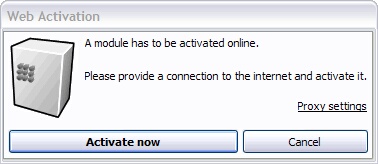
The Online Activation requires the Serial Number, company name and e-mail address. Then the license will be verified online and activated. No additional step will be required. Details of the workflow.
This activation option is defined in the screen - Settings.
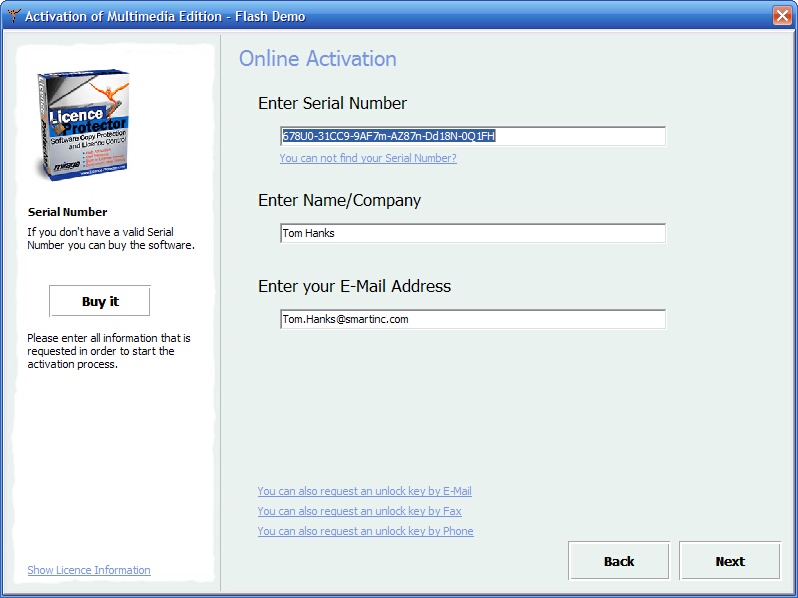
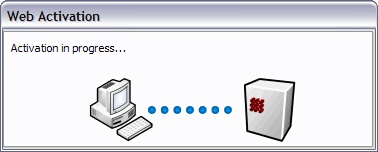
The activation process is transparent for the customer.
|
|
|
|
|
|
|
|
|
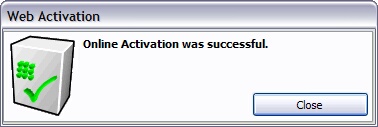
The screen: Activation Successful is displayed
Page url: http://www.helpserver.biz/onlinehelp/lpmme/2.1/generator/help2000/index.html?activation_online.htm