|
Display your Licence |


|

|

|

|
|
Display your Licence |
|
|
|
|
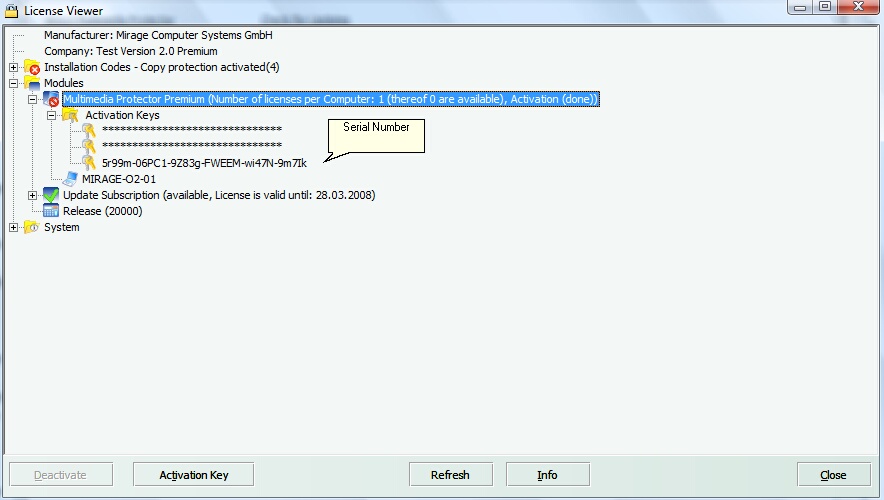
You can access your license information and your Serial Number within the administration screen.
Multimedia Protector or Multimedia Protector Premium
For differences see chapter Standard or Premium Edition?
| • | Number of Computers which have a license - normally 1 |
| • | Demo version - if omitted, it is a full version |
| • | Valid until (time limitation) - if omitted, it is a non time limited version |
| • | Web Activation- either done or required |
Your Serial Number
To retrieve your Serial Number:
| • | click on the + sign in the first line with the label Multimedia Protector |
| • | click on the + sign with the label Activation Keys |
The visible number is your Serial Number.
Update Subscription
The update subscription entitles you to install the latest updates as long as it has not expired. See chapter Check for Updates how to download updates.
| • | Available / Not available |
| • | Time limitation - the date when the update subscription expires |
Release Number
| • | Internal release information |