|
Define Delivery Type |


|

|

|

|
|
Define Delivery Type |
|
|
|
|
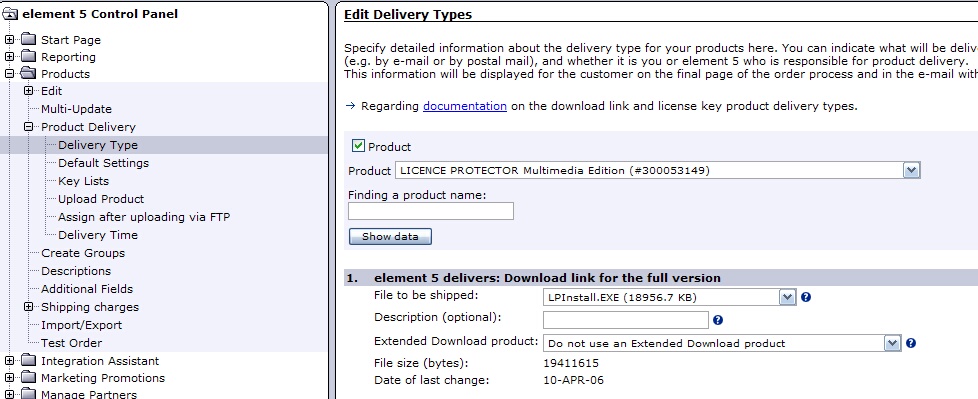
Start the Element5 / Share-it! Control Panel. With Delivery Type you specify that Element5 / Share-it! delivers your uploaded project files by download link.
Select Product Delivery, Delivery Type. On the right side, select your product and press - Show data.
Press the button Add and select element5 delivers: download link for the full version full version. Then select File to be shipped and select your uploaded project filein the drop down list.