|
Secure standalone exe file(s) |


|

|

|

|
|
Secure standalone exe file(s) |
|
|
|
|
Multimedia Protector supports copy protection and complete licensing for stand-alone EXE files. It wraps the EXE file and additional files into the encrypted database. This kind of protection is not as strong as the Source Code integration with Licence Protector but a good choice if you do not have any Source Code or you do not want to spend time to add copy protection and licensing.
If you have just one or more EXE file and additional files like DLL or configuration files, import it and define one exe file as a start file. After the initial tests like evaluation or product activation have been done, the Multimedia Player starts the exe file, extracts all other imported files and terminates automatically so that only the EXE file will be active.
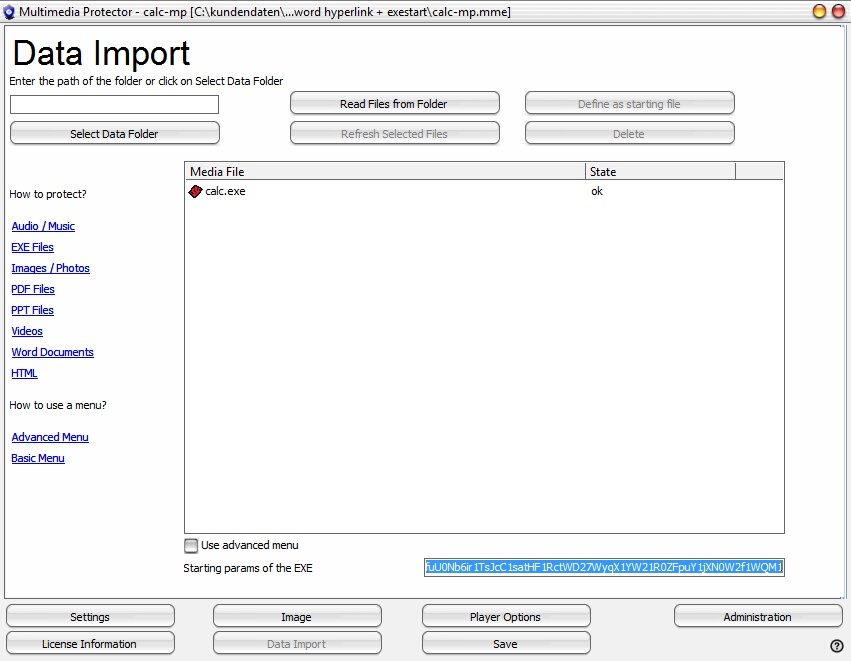
 All files (EXE file and all additional files) are extracted to the hard disk during runtime - see main chapter Executables. The file of the database should have maximum 80-100 MB. Otherwise the loading time would be too long.
 If the EXE file opens configuration files and the files are expected on the same folder like the EXE file, try to use the option Run in installation directory or better, retrieve the correct path by reading the configuration data.

