|
Flash Video MX (Moyea) |


|

|

|

|
|
Flash Video MX (Moyea) |
|
|
|
|
Internet Site: www.moyea.com
This converter allows you to convert videos to flash (swf). During the conversion process you can add a player control (mandatory for Multimedia Protector) and you can define the video quality, screen resolution etc.
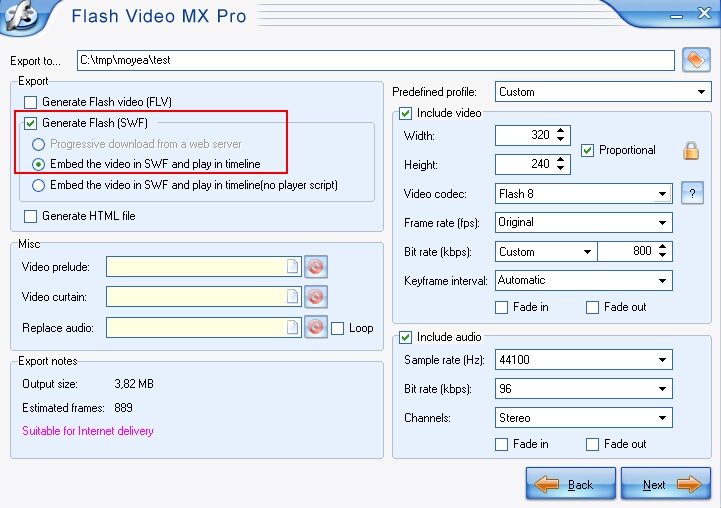
You can define the quality of the video on this page. Import setting is: Embed the video in SWF and play in timeline and Video Codec: Flash 8
|
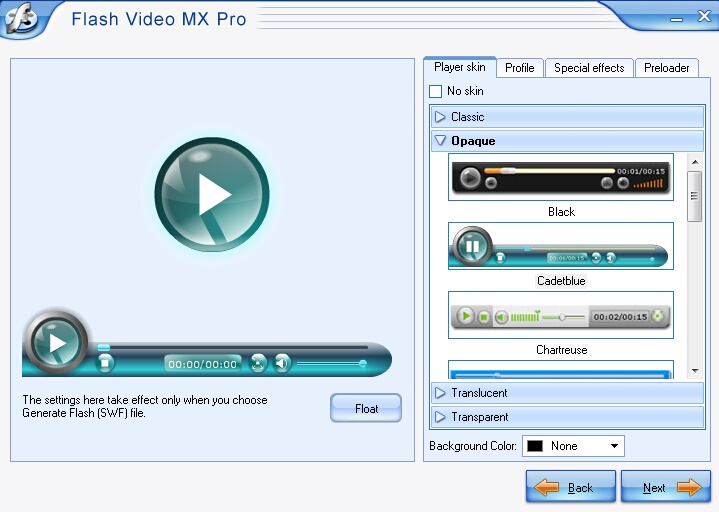
Then select a Player control (toolbar which allows to start, stop, pause, rewind). This is mandatory because Multimedia Protector does not provide an player toolbar. You can select a design and a lot of other player settings.
Select a Skin and a player control.
|
| • | Now import the files (swf) and make the .swf file the start file. If you have multiple videos then add a menu and make the menu the start file. |