|
Flashform (Rapid Intake) |


|

|

|

|
|
Flashform (Rapid Intake) |
|
|
|
|
For protecting files created with Flashform (http://www.rapidintake.com) you have 2 different options:
Create Flash file(s)
As Flashform can create flash files, this is the recommended option. It is the most secure solution but could have limitations if you use special functions, which are not supported by the Multimedia Player. Right now, FLV files loaded within Flashform are not supported.
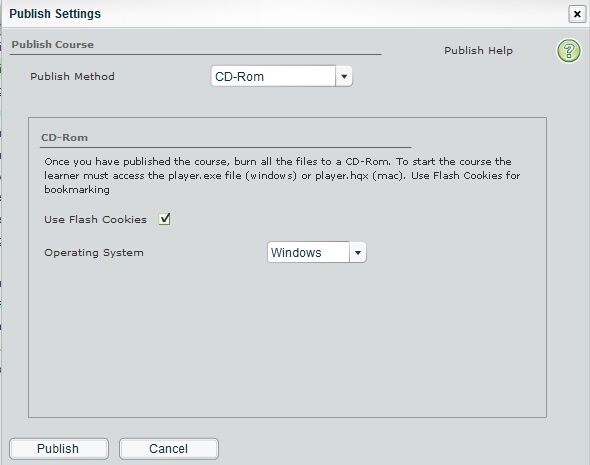
Select Publish Method CD-ROM, Check - Use Flash Cookies and Operating System Windows.
|
Create executable (EXE) file
Use the player.exe which comes with flashform and protect the executable file with Multimedia Protector. This supports all options of Flashform but with the limitation of the EXE protection.
Select Publish Method CD-ROM, Check - Use Flash Cookies and Operating System Windows.
|