|
Manually upload Files |


|

|

|

|
|
Manually upload Files |
|
|
|
|
There are 2 options to upload files
Use a FTP program to upload project files
You can copy your files to the Activation Server with an FTP software (using the File Explorer will not work).
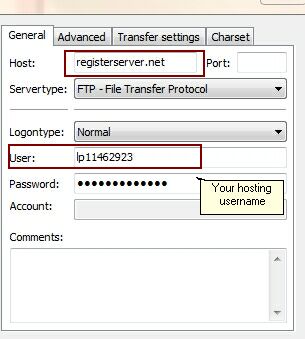
Using the popular FTP Tool FileZilla Client (http://filezilla-project.org/) the settings would be as follows:
User: This is lp+hosing number - e.g. if hosting number is 9999999 then the user would be: lp9999999 Password: Your hosting password
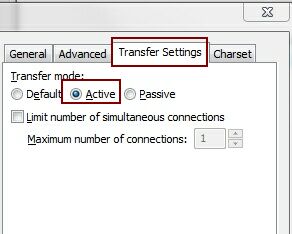
It is important to set the transfer mode to Active
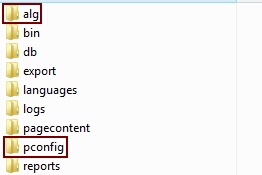
After login you will see a directory structure on the Activation Server similar to this one:
Copy files from local PC to the Activation Server
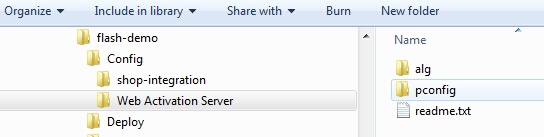
On your local PC, select the project folder. It includes 2 sub folders (config and deploy). Select the config folder and then the folder Web Activation Server.
|
Send the files to support
You can e-mail the project files to support and we upload the files for your.
On your local PC, select the project folder. It includes 2 sub folders (config and deploy). Select the config folder and then the folder Web Activation Server.
ZIP the complete folder Web Activation Server and send it to support@mirage-systems.de
|