|
Import PDF Files |


|

|

|

|
|
Import PDF Files |
|
|
|
|
After selecting a PDF file in the import screen, a new configuration option appears: PDF Options. Click on the link to open the configuration screen for the Multimedia Protector PDF Viewer.
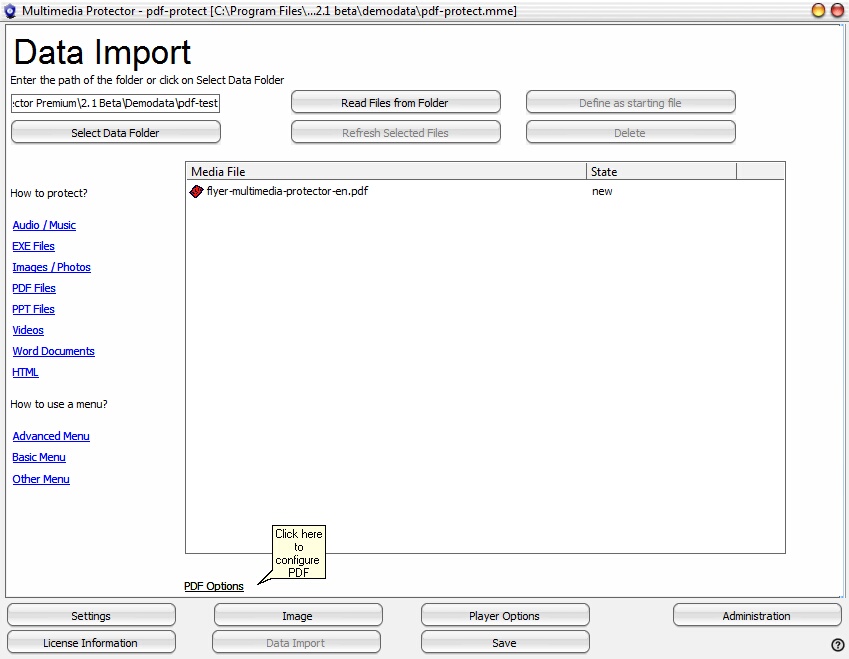 |
| Import Screen - PDF file selected |
| • | Configure the Multimedia Protector PDF Viewer |
 The PDF file may not be password protected (open or save) - all security settings must be set to none for the PDF file before you import it.
There are also other ways to protect a PDF file. More Information.
You can import multiple PDF files. You then need a menu application, which allows to select a PDF file.
See also
Multimedia Protector PDF Viewer options
Multimedia Protector PDF Viewer Installation
Menu application
Page url: http://www.helpserver.biz/onlinehelp/lpmme/2.1/generator/help2000/index.html?import_pdf_files.htm

