|
Photo Album |


|

|

|

|
|
Photo Album |
|
|
|
|
Multimedia Protector comes with 2 different photo albums. You can use a photo album to distribute JPG files. It can be found on the directory ...\Add-Ons\PhotoAlbum and then ...\album1 and..\album2
 A sample for jpg files with these photo-albums is provided with photo-album1-demo.mme and photo-album2-demo.mme.
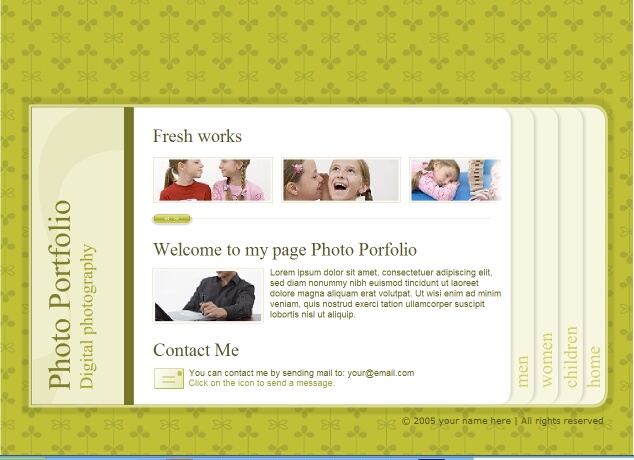
Album 1
This is a photo album which allows placing a lot of text and present the photos in different categories.
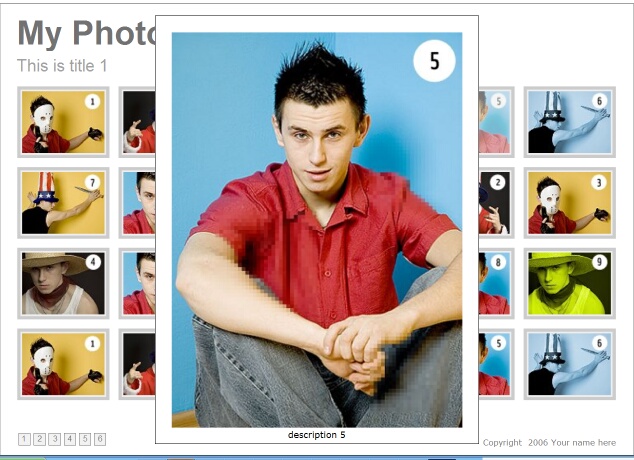
Album 2
This is a photo album which allows placing a lot photos on one page including thumbnail and big size photo as well as a short description per photo.
 The Photo Album can be used with Multimedia Protector, but it is not allowed to distribute the files as a standalone application without Multimedia Protector .
If you need animations and a slide show, use Adobe Lightroom or the freeware tool from Airtight (Simple Viewer, PostCardViewer, AutoViewer).
See also
Use Photo Album 1
Use Photo Album 2
Other Photo Albums
Include Photo Album in Project
How to edit an XML file
Page url: http://www.helpserver.biz/onlinehelp/lpmme/2.1/generator/help2000/index.html?photo_album.htm

