|
Start Screen of the Multimedia Player |


|

|

|

|
|
Start Screen of the Multimedia Player |
|
|
|
|
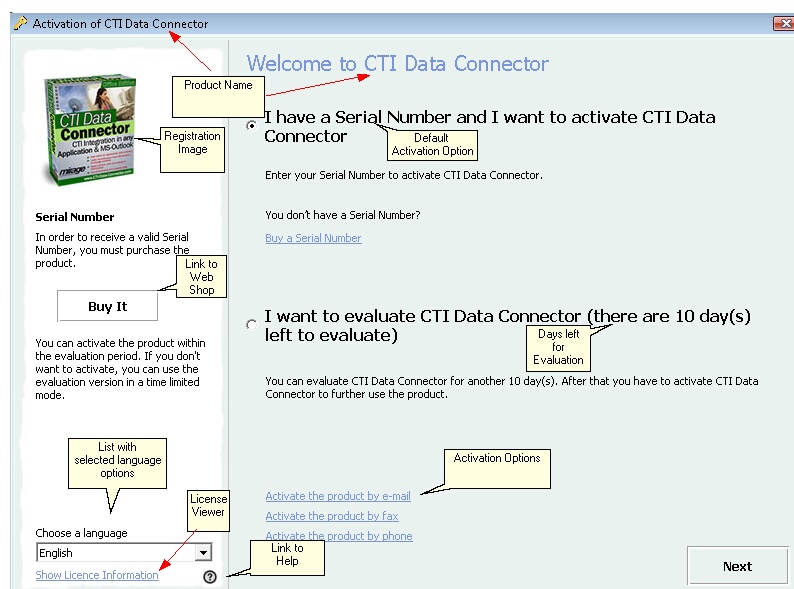
This is the initial screen which pops-up as long as the software has not been activated. It depends on the selected customization options.
The following configuration settings are possible:
| • | Activation Options and Default Activation Option |
It allows either continuing unregistered or typing in the Serial Number. The version can be used x days for evaluation before the activation has to be done.