|
Web Activation Server |


|

|

|

|
|
Web Activation Server |
|
|
|
|
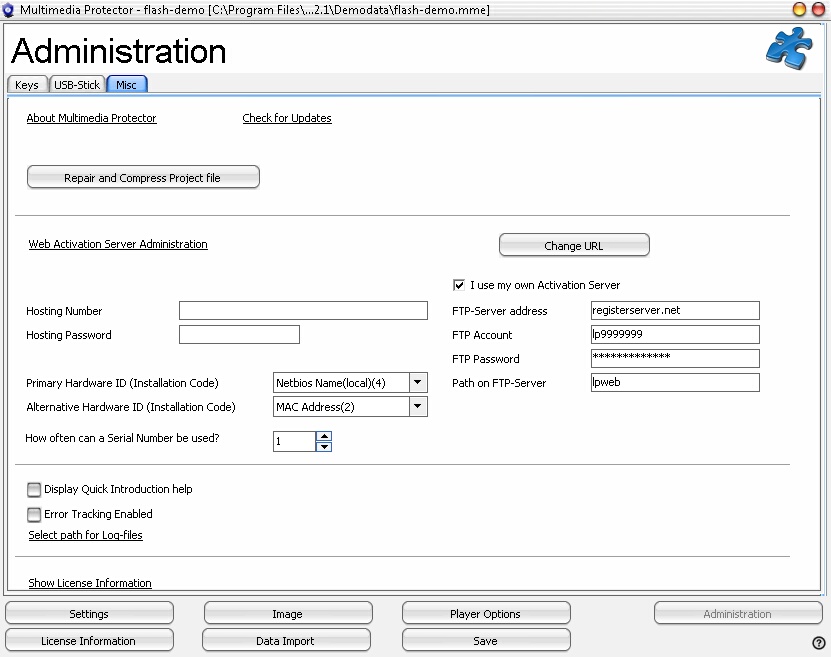
If you are using the Web Activation Server, you can access the administration interface directly with the link Web Activation Server Administration.
To configure the link to the server, press the button Change URL and type in the URL to the Webserver, e.g.
https://www.registerserver.net/hostingnumber/lpweb
Activation Server - Hosting Service
Type in your Hosting Number and Hosting password as well. This is necessary before you upload the configuration files to the Activation Server.
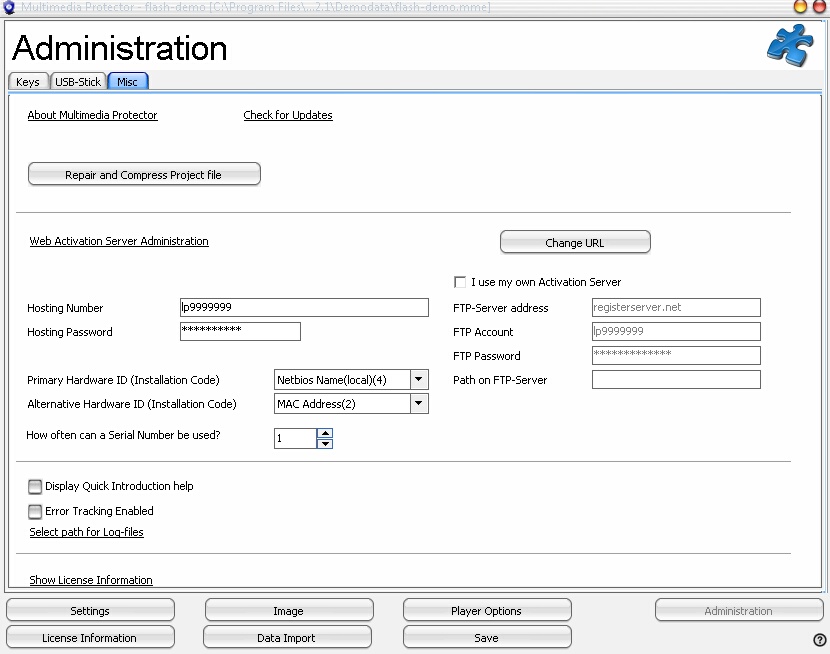 |
| Configure Activation Server |
Running an own Activation Server
If you run the Activation Server on your own machine, you can also use the automatic uploading of the configuration files . This requires a special configuration of the server. If the configuration is not possible, you can always manually upload the configuration files.
For an automatic upload of your Multimedia Protector configuration files to the Activation Server you have to provide a FTP access. Install an FTP-Server with access on FTP-port 21. Provide a FTP-account which has full read/write access to the Activation Server installation including all subfolders (like ..\bin, \alg).
Now configure the FTP account in the Multimedia Protector Generator.
|
Primary / Alternative Harware ID
The primary hardware ID is used as the main criteria to activate copy protection. Only if this criteria is not retrievable the Alternative Hardware ID is used.
For single user installations or CD distribution, the hardware ID 4 (NetBIOS Name) is recommended. For network installations use installation code 5 (Volume ID + UNC Path) or 6 (MAC Address + UNC Path).
Theses values are automatically assigned to each new project.
How often can a Serial Number be used?
It can be defined, how often a Serial Number can be used. The default value is 1. If you want to allow, that the product is installed e.g on 3 different PC's, then change here the value to 3.
 This option is only available in the Premium version. You also need a valid hosting account. Order Hosting.
 Every time you change a setting of the Activation Server, you have to upload the configuration again to the Activation Server - See Upload files to the Activation Server
See also
Online Activation - Step by Step
Activation Server for Testing