|
|


Configuration File - Setup.ini |

|

|

|

|
||
|
Configuration File - Setup.ini |
|
|
|

|

|
Configuration File - Setup.ini
|
|
|
Configuration File - Setup.ini |
|
|
|
|
||
|
Configuration File - Setup.ini |
|
|
|
|
|
The configuration file defines options which are displayed during installation and allows to customizes the names and default values.
Configuration options for setup.ini
Just overwrite the default values within the setup.ini file. The file has different sections (indicated with [SectionName] )
This section defines the program name displayed during installation and default values.
|
This section defines addition entries in the program manager group.
|
This section defines the files which have to be copied
|
The Installation Manager can start an EXE file either before or after the installation is done. You can also define, if the EXE file is only started during the single user installation or also during the network installation. The installation manager waits, until the program is terminated.
|
This section provides uninstall information using the Windows standard uninstall options (control panel, add/remove programs).
|
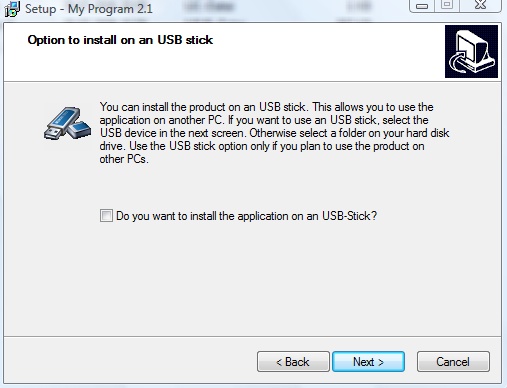
This option allows to either install the version from CD/Download to a USB-Stick or to the hard disk. It copies all files to the USB-Stick and adds the link to the USB-stick in the program manager group. It automatically adds a program add-startup-icon.exe on the USB-stick, it the user selects the option: Do you want to install the application on a USB-Stick? If the user takes the USB-stick to another PC, this EXE file would generate also a program manager group entry and allow to simply start the file from the program manager group or desktop icon.
A autorun.inf file is copied to the main directory of the USB-Stick. This would start the Multimedia Player if the USB-Stick is attached to the PC.
If you specified an Icon in the [Files] section, then the icon is used as the icon of the USB stick in the file explorer.
use-usb=true / false
For online activation, the activation server has to use installation code 11 as the main criteria. If the USB-Stick does not support copy protection, then the license is automatically bound to the PC which makes the activation.
Specify Code 11 as the Primary Hardware ID and code 4 as the Alternative Hardware ID. |

Have a close look at the options, which files should be launched after the installation or which file should be the main start application.
| • | [Options], RunPlayerAfterInstall=true starts the Multimedia Player after the installation |
| • | [Options],RunAfterInstall=menu.exe starts a menu application after the installation |
| • | [Files],Exe-Start-Application=menu.exe defines a menu application as the start program (selected either in the program manager group or from the desktop |

 , use the file mpplayer.ico as provided