Navigation: Part II - Enhanced Features > Block/Lock a licence after Activation is done >
Source Code Integration


|
Navigation: Part II - Enhanced Features > Block/Lock a licence after Activation is done > Source Code Integration |
|
Within your Source Code you use the EasyGo commands and some additional checks.
| • | Open your licence file by starting EasyGo with PrepareAndCheck |
| • | Check if the version is already activated because only then you need to perform the additional online check - GetWebActivation using the main module ID would return 2 = application is activated |
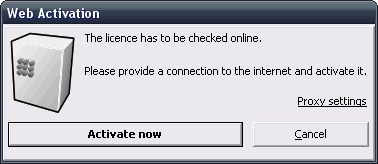
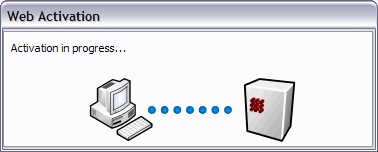
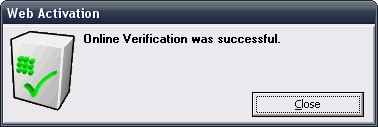
| • | By default, the online check is transparent for the customer by displaying the following 3 screens. |
|
|
|
 The dialogs could be deactivated either with the settings <ShowWAStartPage>, <ShowWAProgressPage>, <ShowWAResultpage> in the project template or with the commands ShowWAStartPage, ShowWAProgressPage, ShowWAResultPage in the source code.
Now perform the online check with CheckLicence. Licence Protector will go online only if the next check is due. Otherwise Licence Protector will just continue without going online.
| • | The check is documented on the Web Activation Server with request type deactivate licence |
| • | The next date to go online is retrieved from the configuration file licprotectorws.config with the parameter <CheckLicenceDays> - see Configuration Settings. The new date for the next online verification is stored in the licence file |
| • | Only continue in your application if error code is 0 |
| • | If error code is 3018 then the licence is locked on the Web Activation Server (see how to lock the licence). Your application should terminate. The next start of the application will always go online to check if the licence is still locked |
| • | If error code is 3001 then no online connection could be established |