Navigation: Important Activation Keys with EasyGo > Unlock Key >
Create Unlock Key using Licence Generator


|
Navigation: Important Activation Keys with EasyGo > Unlock Key > Create Unlock Key using Licence Generator |
|
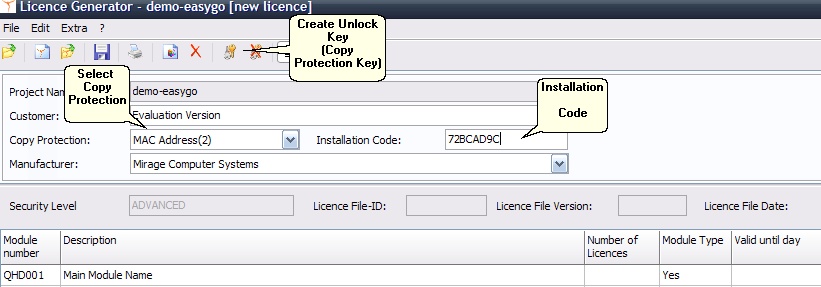
Start the Licence Generator and load the demo-EasyGo.xml project template or your application template.
Enter the Installation Code (Hardware ID) which was transmitted from the customer and select the type of copy protection (Volume ID, MAC Address, Hostname etc.) you want to use. You have to enter only one hardware ID.
 Use SHIFT + INS to paste the installation code.
Then create the Unlock Key = Copy Protection Key by clicking on the key icon or menu Edit, Create Activation Key – Activate Copy Protection.
Send the Unlock Key to the customer, which would use the key in the screen Enter Unlock Key.
See also
How can I create an Activation Key manually?