Navigation: Web Activation Server > Tutorial Web Activation Server > Part II - Installation and Configuration > Installation of the Web Activation Server >
Install the Web Activation Server


|
Navigation: Web Activation Server > Tutorial Web Activation Server > Part II - Installation and Configuration > Installation of the Web Activation Server > Install the Web Activation Server |
|
The Web Activation Server comes with an MSI file and a ZIP file. The MSI file should be used if possible. The ZIP file is intended for installations without the right to start MSI files (e.g. with hosting services). See Installation using ZIP file.
To install simply execute LPWAsetup.msi and press Next on all screens:
If you do not have .NET 1.1 installed or if J# Redistributable Package is missing, you have to install these packages first. Do not use .NET 2.0 or J# package for .NET 2.0. The MSI script will prompt for these packages.
The following screens will appear during installation:
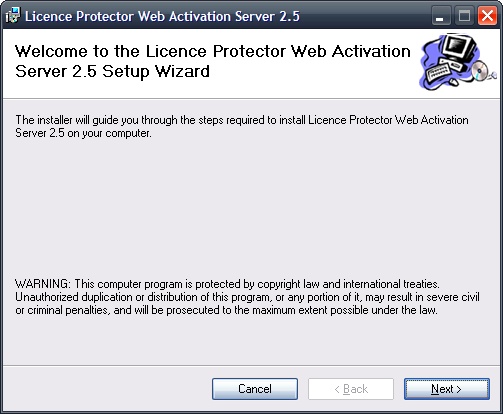 |
| Installation - Introduction Screen |
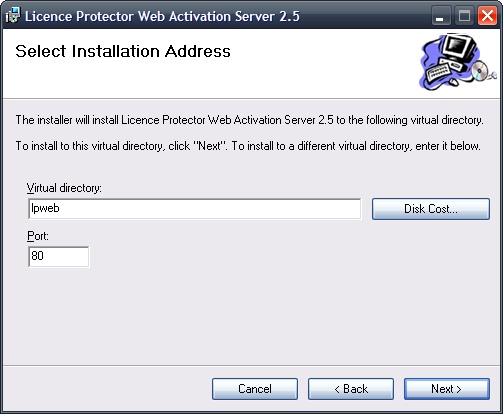 |
| Select folder and port |
You can change the Virtual directory or the port. Remember your input to adapt the installation properly. We recommend using the name “lpweb” and port 80.
Now Web Activation Server is installed. The installation files are copied to
\inetpub\wwwroot\lpweb

Replace the file LicProtector.lic that was installed by LPWAsetup.msi with that file you have received when you bought Licence Protector. The file is on the folder \inetpub\wwwroot\lpweb\alg.