Navigation: Implementing EasyGo >
Using Licence Tester


|
Navigation: Implementing EasyGo > Using Licence Tester |
|
The Licence Tester is not an application - it is a tool to make 'live' tests. Each DLL call is placed on a button, which is exactly labled as the corresping DLL call. Each parameter of a DLL call can be typed in using the fields provided by the Licence Tester.
If you use the demo-EasyGo.xml file then also the Online Activation can be tested. You can save your settings with Save Content and load it again with Load Content.
Select the EasyGo TAB on the right side and specify your preferred registration methods and options. Then press: SetRegisterSettings
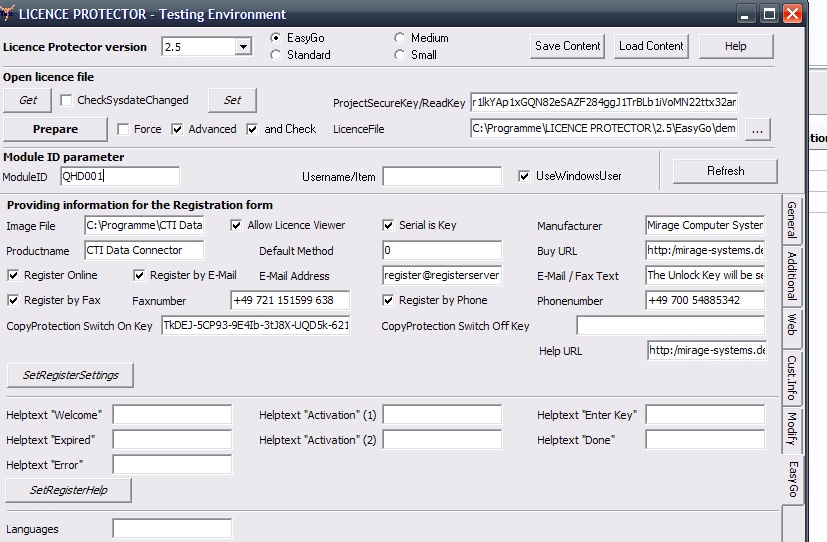 |
| SetRegisterSettings |
The next step is to set the desired language for the user interface. Select the TAB Additional, and set the language with SetLanguage. Language Code 20000 = English.
 |
| SetLanguage |
Invoke EasyGo
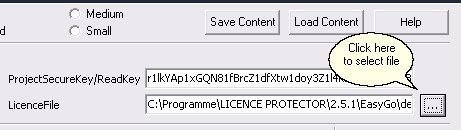
Check the security level Advanced and the command PrepareAndCheck, select the licence file (demo-easy.lic) by
|
,type in your personal Read Key (Demo Read Key is inserted automatically) and type in the module number (QHD001 in the demo project) in the field ModuleID. If you have a user module also check UseWindowsUser. Then press Prepare. The initial screen with EasyGo will appear.
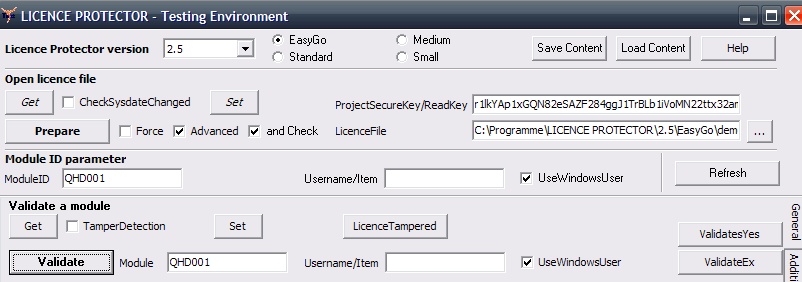 |
| PrepareAndCheck |
Page url: http://www.helpserver.biz/onlinehelp/lp/easygo/2.5/help2000/index.html?licence_tester.htm