Navigation: Part II - Enhanced Features > Network Licence - how it works >
Deactivate a network licence


|
Navigation: Part II - Enhanced Features > Network Licence - how it works > Deactivate a network licence |
|
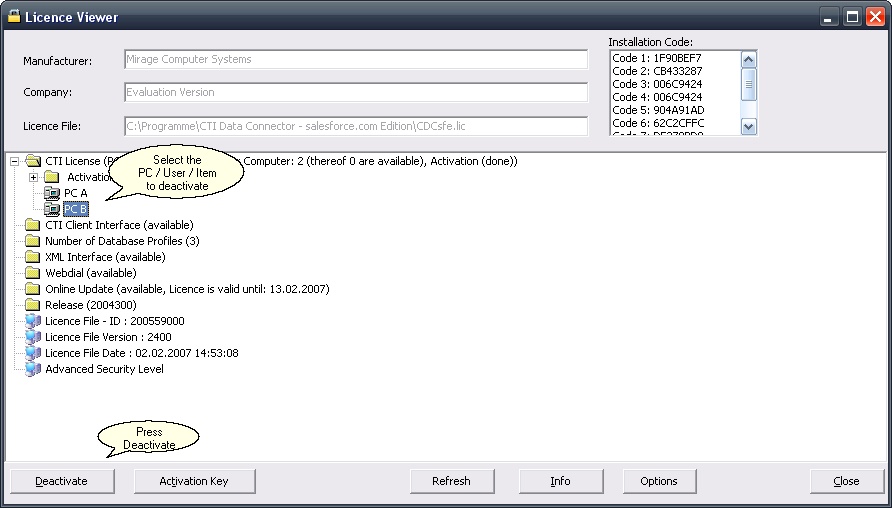
If an application uses a licence per PC , per User or item then a single licence can be deactivated within the Licence Viewer. This is not necessary for concurrent user because the licence is automatically removed when the application terminates.
To activate this feature you have to set <AllowDeactivate> to yes in the project template.
A licence (per PC / User / Item) can be deactivated by
The deactivated licence is not displayed in brackets and the licence can be used again by another PC / User / Item
|
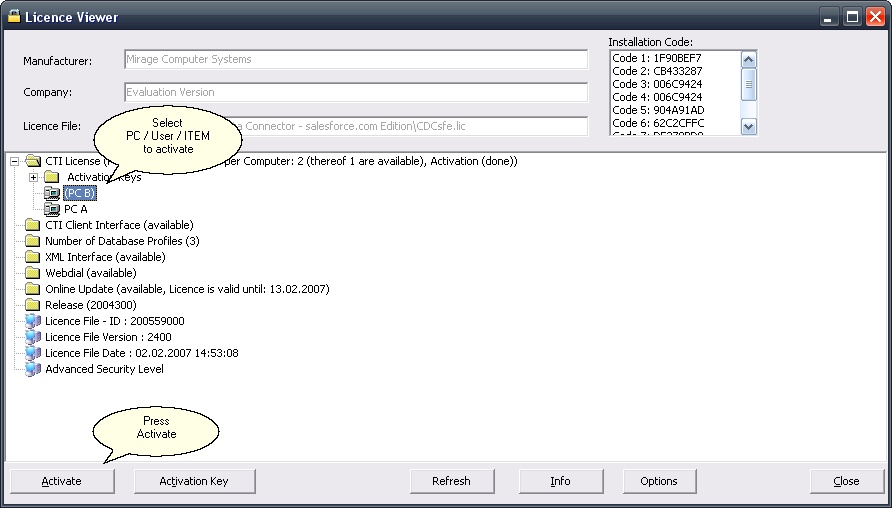
A licence which was deactivated, is displaced in brackets. It can be activated again by
|