Navigation: Activation and License Screens with EasyGo >
Evaluation Period Expired


|
Navigation: Activation and License Screens with EasyGo > Evaluation Period Expired |
|
If the serial number is not entered until the end of the evaluation period, a special message screen with a link AND a button to buy is displayed. It is not possible to continue without activating the product.
Evaluation Screen expired and no Serial Number Key was applied
This screen appears if the trial period expires and no Serial Number Key has been applied.
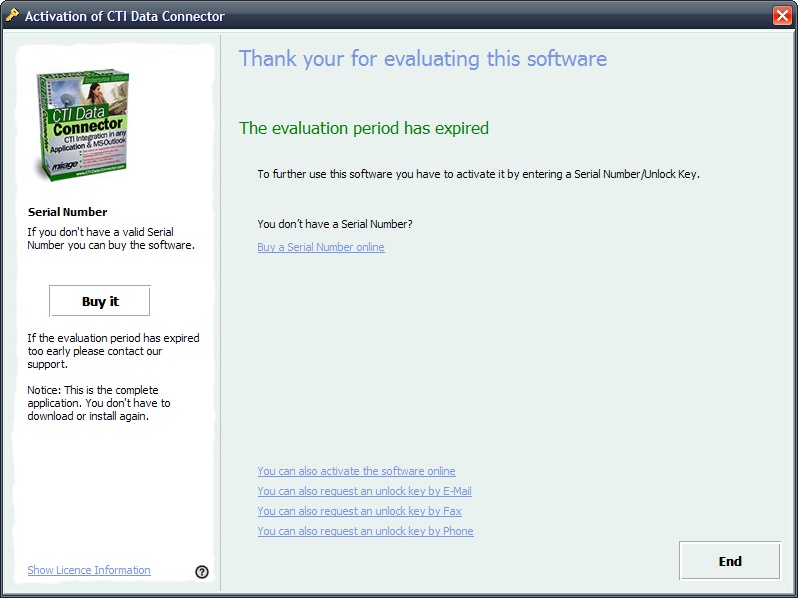 |
| Evaluation expired - no Unlock Key used |
Evaluation Screen expired after an Unlock Key was requested by E-Mail or Fax
This screen appears if the trial period expires and an unlock key was requested by E-Mail or Fax
First the screen to enter the Unlock Key appears.
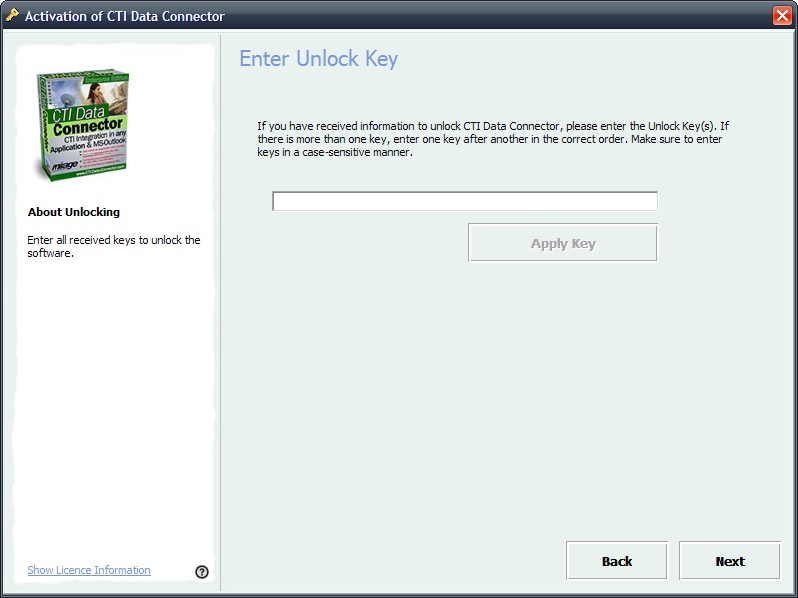 |
| Evaluation expired - enter Unlock Key |
If the Unlock Key is not applied, then the next screen appears to indicate, that the version has expired.
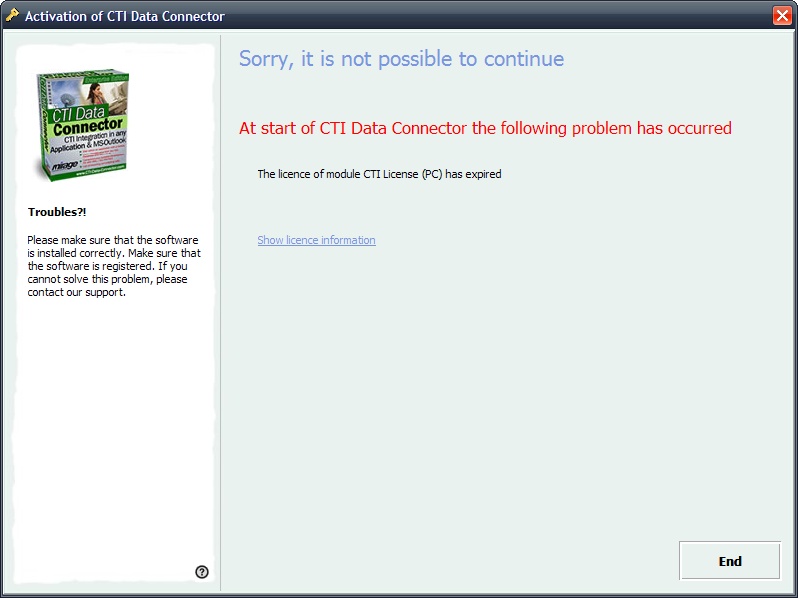 |
| Evaluation expired - after Unlock Key used |