Navigation: Activation and License Screens with EasyGo >
Activation by E-Mail


|
Navigation: Activation and License Screens with EasyGo > Activation by E-Mail |
|
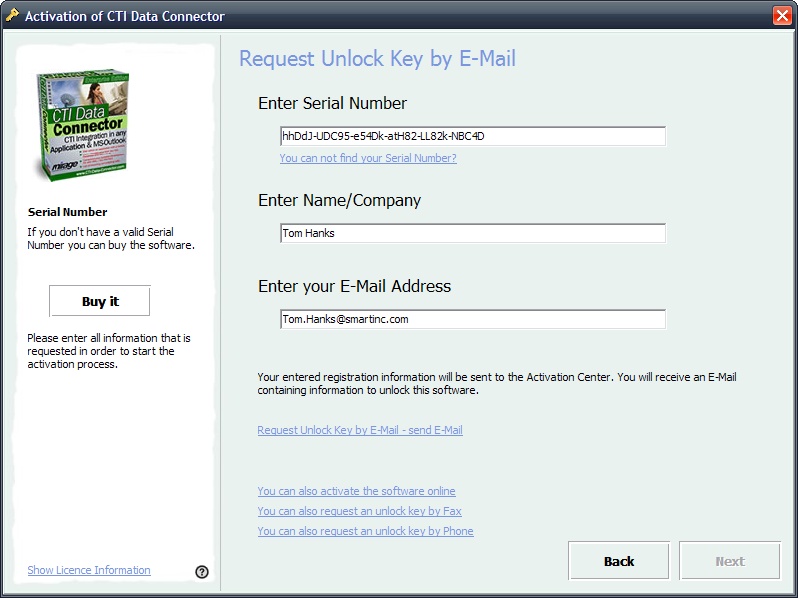
The E-Mail Activation needs the Serial Number, company name and your e-mail address. See details of the workflow.
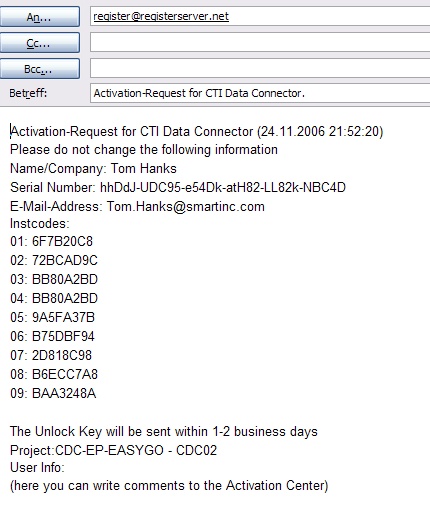
Request Unlock Key After filling out the screen, select: Request Unlock Key by E-Mail - send E-Mail. This will open your default E-Mail client. An e-mail with the hardware IDs and licence information will be created. Press send to send the e-mail to our activation center. You will get an Unlock Key back within 2-3 business days.
Create Unlock Key The Unlock Key is generated either using the Licence Generator or using the Web Administration Interface .
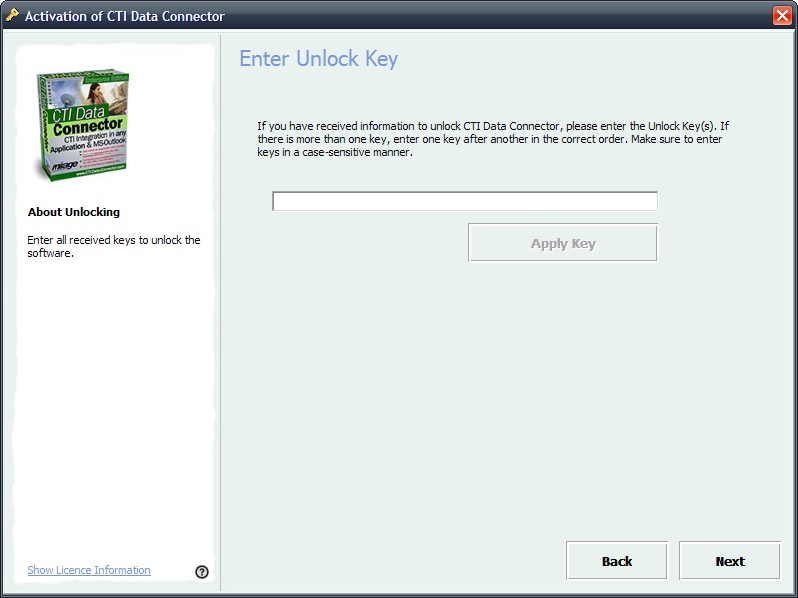
After requesting the Unlock Key by E-Mail, the screen shown below will appear during each start of the program. Type in the Unlock Key you got back by e-mail or fax. Press the button Next. If the Activation is successful, the screenActivation finished is displayed.
|
This activation option is defined with the parameters RegisterByE-Mail and E-Mail_Address, E-Mail_Fax_Text It is very important to define the CopyProtectionSwitchOnKey for manual registration. |
Page url: http://www.helpserver.biz/onlinehelp/lp/easygo/2.5/help2000/index.html?screens_activation_e_mail.htm