Navigation: Activation and License Screens with EasyGo >
Activation by Fax


|
Navigation: Activation and License Screens with EasyGo > Activation by Fax |
|
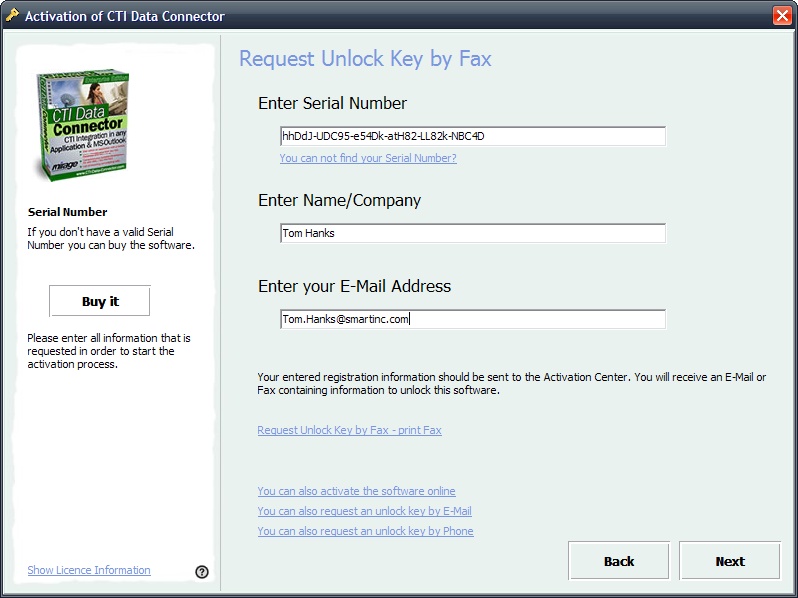
The Fax Activation needs the Serial Number, company name and your e-mail address. See details of the workflow.
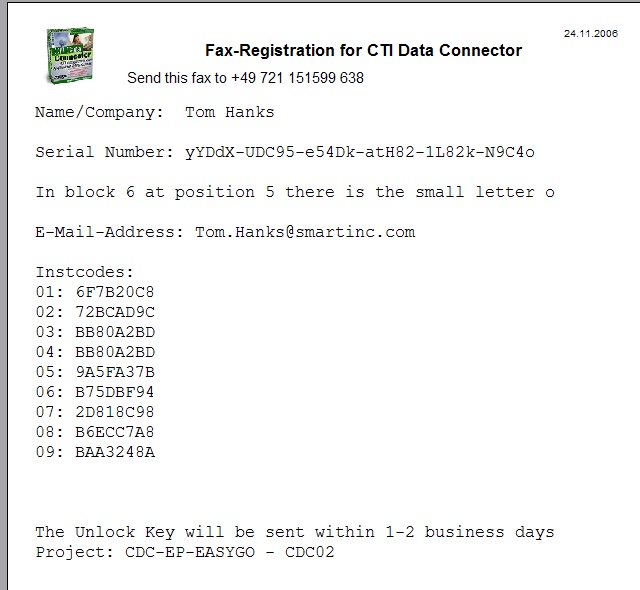
Request Unlock Key After filling out the screen, select: Request Unlock Key by Fax - print Fax. This will open a report with the hardware IDs and licence information. Press print to print the report and then fax it to the number provided in the report. You will get an Unlock Key back within 2-3 business days.
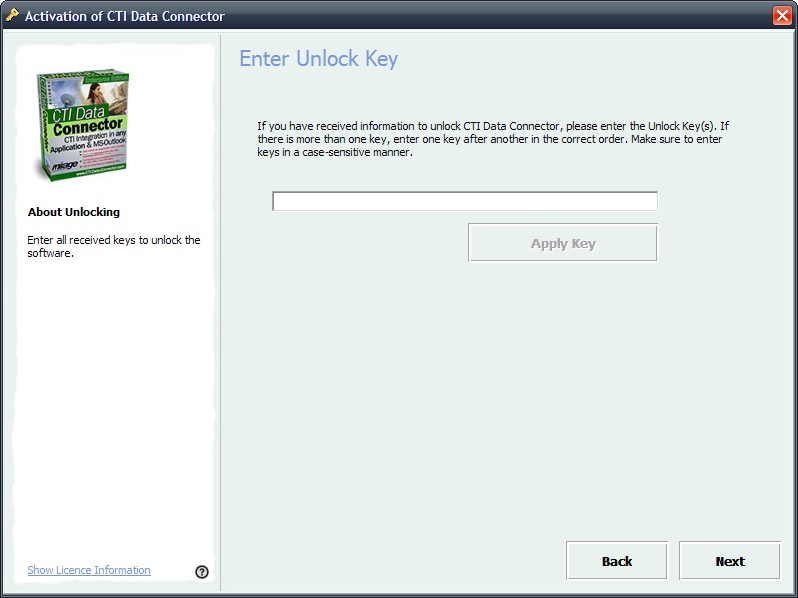
Create Unlock Key The Unlock Key is generated either using the Licence Generator or using the Web Administration Interface . After requesting the Unlock Key by fax, the screen shown below will appear during each start of the program. Type in the Unlock Key you got back by e-mail or fax. Press the button Next. If the Activation is successful, the screenActivation finished is displayed.
|
This activation option is defined with the parameters RegisterByFax and Faxnumber, E-Mail_Fax_Text It is very important to define the CopyProtectionSwitchOnKey for manual registration. |
Page url: http://www.helpserver.biz/onlinehelp/lp/easygo/2.5/help2000/index.html?screens_activation_fax.htm