Navigation: Web Activation Server >
Configuration of the Web Activation Server


|
Navigation: Web Activation Server > Configuration of the Web Activation Server |
|
In the folder ..\EasyGo\Web Activation Server you find sample configuration files. Basically, you have to define exactly the same settings like you would use with the manual generation of an Unlock Key + the Copy Protection Switch On Key.
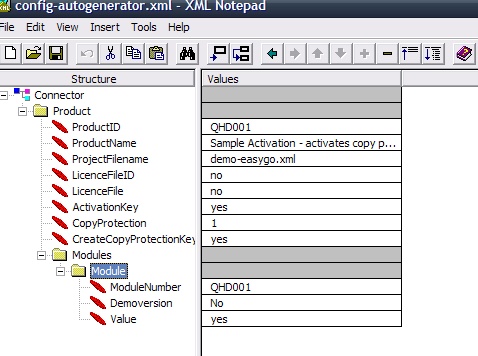
Config-Autogenerator.xml
This file includes the definition, if a copy protection key should be generated, switch of Demoversion and delete time limitation. You have to change in the sample file:
| • | ProductID to your module ID of the main module |
| • | ProjectFilename to the your project filename |
| • | ModuleNumber to your module ID of the main module |
The name config-autogenerator.xml can be changed. It is referenced in the LicProtectorws.config file.
See detail configuration options in the Online Help of the Web Activation Server.
LIcprotectorws.config
This file defines options like allow reinstallation, how often a key can be used and other settings per project (application).
| • | Change <ProjectID> to your project name |
| • | Add your Hosting ID you got in the path <GeneratorPath>d:\wwwroot\HOSTINGID\lpweb\alg</GeneratorPath> |
See detail configuration options in the Online Help of the Web Activation Server.
Upload your files
All configuration options and how to upload your files are described in the Online help of the Web Activation Server.
Page url: http://www.helpserver.biz/onlinehelp/lp/easygo/2.5/help2000/index.html?was_configuration.htm