Errors - Call Center Adapter

Contents
Error Messages
The following errors could occur. After changing a configuration setting always logout from salesforce and quit CTI Data Connector Enterprise Edition
Adapter is never displayed
•Check if the security settings for Internet Explorer and Firefox have been configured
•Check if your user name is added to the Call Center Adapter
•Check, if CTI Data Connector Enterprise Edition is running ( Icon at the bottom right - System Tray)
•Check if the Salesforce Call Center Adapter is running ( Icon at the bottom right - System Tray)
•Do you use either Internet Explorer, Chrome, Firefox or Safari? Other Browsers like Opera are not supported
•Check if port 11000 is used by another application
Message - Connect CTI Adapter
•Check, if CTI Data Connector Enterprise Edition is running (Icon at the bottom right - System Tray)
•Check if the Salesforce Call Center Adapter is running ( Icon at the bottom right - System Tray)
•Check if the security settings for Internet Explorer, Firefox and Chrome have been configured
•Check the Pop-Up settings
•Check the required Salesfoce license
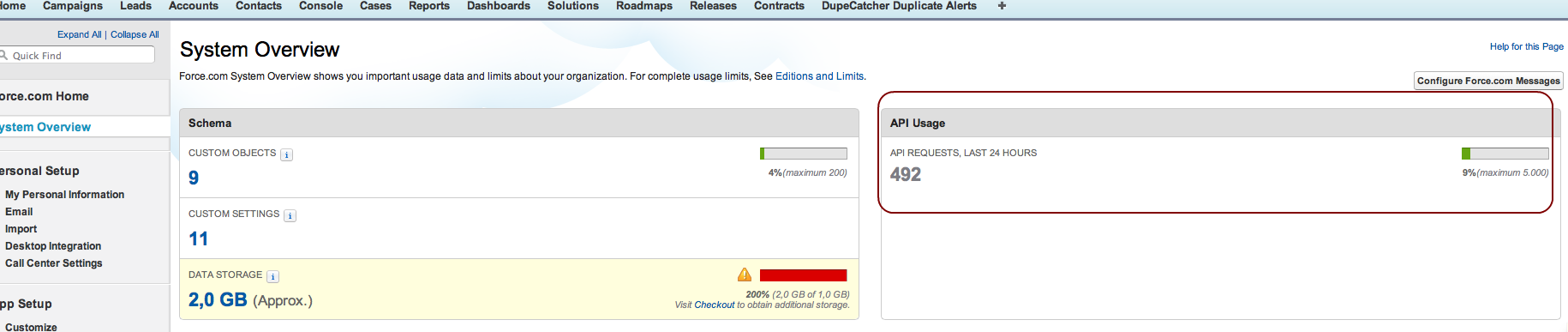
• Check the API usage in Salesforce (System Overview)
|
Adapter is displayed but NEVER shows caller data
•See - Check Softphone
Incoming call does not open a new Browser Window or TAB
•Enable Pop-Ups in the Browser
•In the Softphone Layout enable PopUps open in new browser window or new tab
Adapter is displayed and after some time just stopped working
•Firefox, Chrome Safari - close the Pop-up window and click on the Home TAB in Salesforce to refresh the page. The Pop-up should appear again. If it is missing, close the Browser and login into Salesforce again
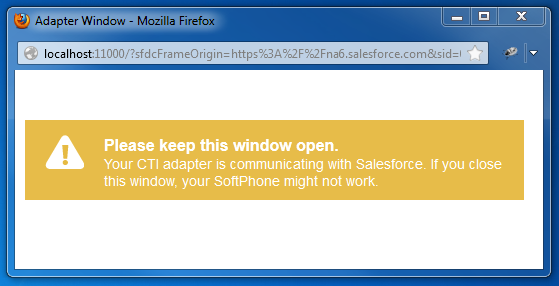 |
| Pop-Up Window |
•All Browsers - If the adapter is generally working but the SoftPhone suddenly does not respond on calls, right mouse click on the blue icon and select Restart Salesforce SoftPhone. Then click on the Home TAB in Salesforce to refresh the page. If this happens frequently, then change the value Timeout for http requests in the expert settings
Other error messages
or
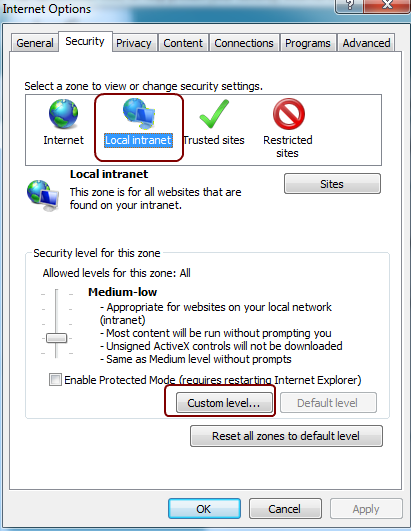
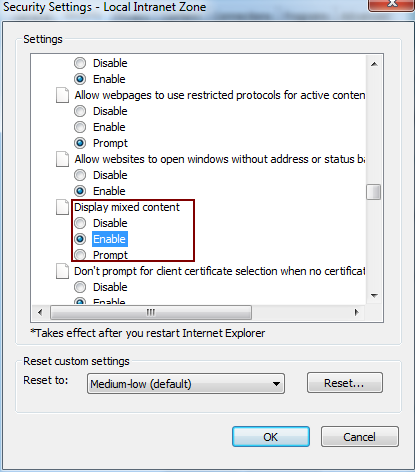
The warning can be disabled using the following steps:
•Go to Tools -> Internet Options -> Security -> Local Intranet
•Click "Custom Level" •Select "Enable" for "Display mixed content"
•Click "OK" •Click "OK"
You have to close the Browser including all open Browser windows
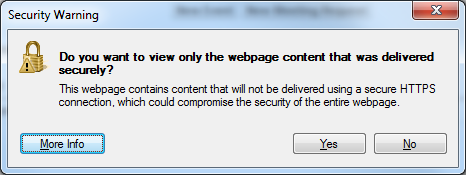
In case you get the error below after click on Turn on Intranet settings and check if you enabled the mixed content setting for Local Intranet (see above)
|



•The call is signaled in the SoftPhone with a large delay - change the value for Polling interval in salesforce adapter in the expert settings
If a call center adapter from another vendor was installed on this computer, uninstall this application and reinstall CTI Data Connector Enterprise Edition.
The other reason for this error is an installation issue with the Windows XML subsystem, MSXML6, which has not been installed or properly registered.
•Login as administrator •Navigate your Windows Explorer to c:\windows\system32 •Double click on msxml6.dll. It'll give you a window saying it doesn't know what to do with it. Select "select program from list." •In the ensuing window, press Browse. There, type "c:\windows\system32\regsvr32" and confirm the selection with OK
|
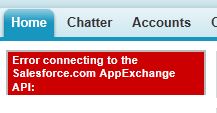
If you get this error, contact salesforce support to enable the API. The API is disabled by default in a test account
If you are using Professional / Enterprise Edition or higher see: API is not enabled for this Organization or Partner
|
The error message indicates, that the Salesforce Adapter DLL could not be registered
•In case you installed a call center adapter from other vendors uninstall it and delete the adapter within salesforce •Quit CTI Data Connector Enterprise Edition (blue icon, right mouse click, Quit) •Install CTI Data Connector Enterprise Edition again using Windows Administrator credentials •If the error persists send us a log file |
If you are using a test account see: Error connecting to the salesforce.com AppExchange API - the SoftPhone does not load
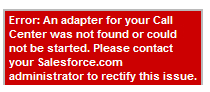
If you are using Professional / Enterprise Edition or higher, check the profile (Setup, Administration Setup, Manage Users, Profiles) which is associated to the user. There is an option: API Enabled. This must be checked. Also verify if the option: Call Center is checked with the option Visible |
DLLs have not been registered properly. Install CTI Data Connector Enterprise Edition again using Windows Administrator credentials |
This error means that the XML subsystem, MSXML6, has not been installed or properly registered. Search "Unable to start the Softphone XML subsystem." in Salesforce.com Help & Training for troubleshooting steps. •Download MSXML6 Parser .Restart Windows after installation |
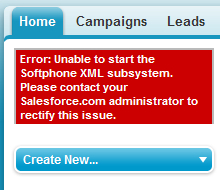
Error Message
The error message indicates, that different versions of the Salesforce Adapter DLL are installed
•In case you installed a call center adapter from other vendors uninstall it and delete the adapter within salesforce •Quit CTI Data Connector Enterprise Edition (blue icon, right mouse click, Quit) •Install CTI Data Connector Enterprise Edition again using Windows Administrator credentials •If the error persists send us a log file |
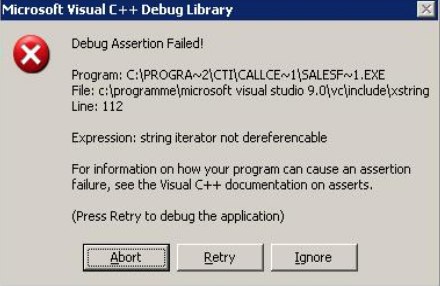 .
.
Right to the phone number there is a grey icon Check if the red salesforce icon
|
 instead of a green
  icon or the text:
Questions and Answers
Salesforce offers a web page with comprehensive information and questions and answers
Send Log File
In case an error cannot be solved, send us a log file